
no. 02 / sales reports and stock reordering for clover tillsIn daily use
Tillwise
Know what sold, and what to order next, from your Clover till.
Tillwise reads the sales and stock from your Clover till and shows them the way a shop owner thinks: what sold today compared with last week and last year, what is running low, and what to order from which supplier.
What it does
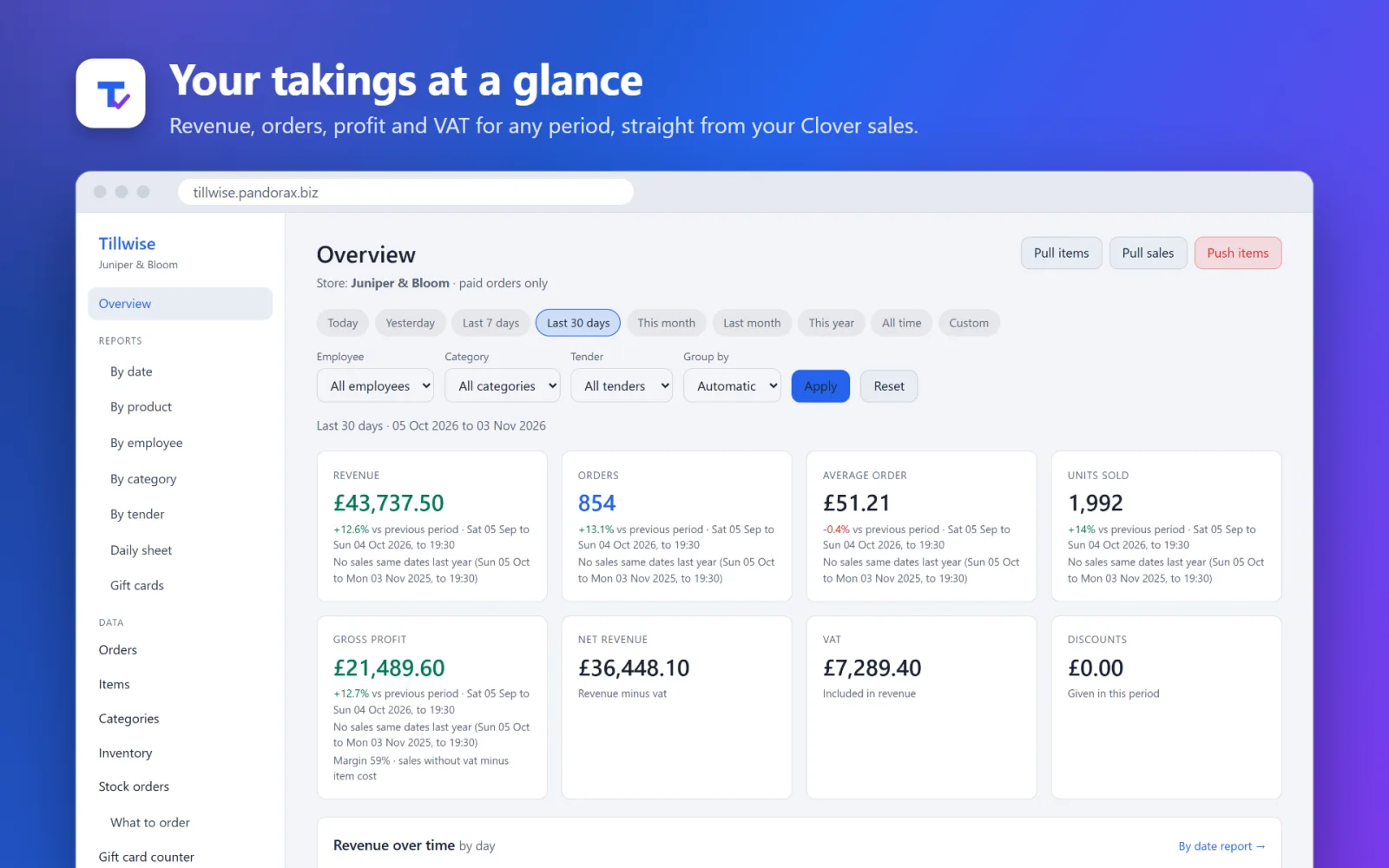
Sales overview
Revenue, orders, average order, units, gross profit and margin, VAT and discounts for today or any period, compared with the same weekday last week and last year.
Reports
Sales by date, product, staff member, category and payment type, a printable end-of-day sheet and CSV export.
What to order
Suggestions three ways: below the reorder level, replacing what sold in a period, or enough stock for 1 to 12 months of sales.
Supplier orders
Draft, ordered and received, with short or extra items flagged. Export as PDF, Excel or CSV, then add the stock back to Clover.
Other sales channels
Enter sales from Amazon, your own website or another card machine item by item. They count in every report.
Gift cards
Sell gift cards at the counter with a printable voucher and QR code, plus a public balance check and a gift card report.